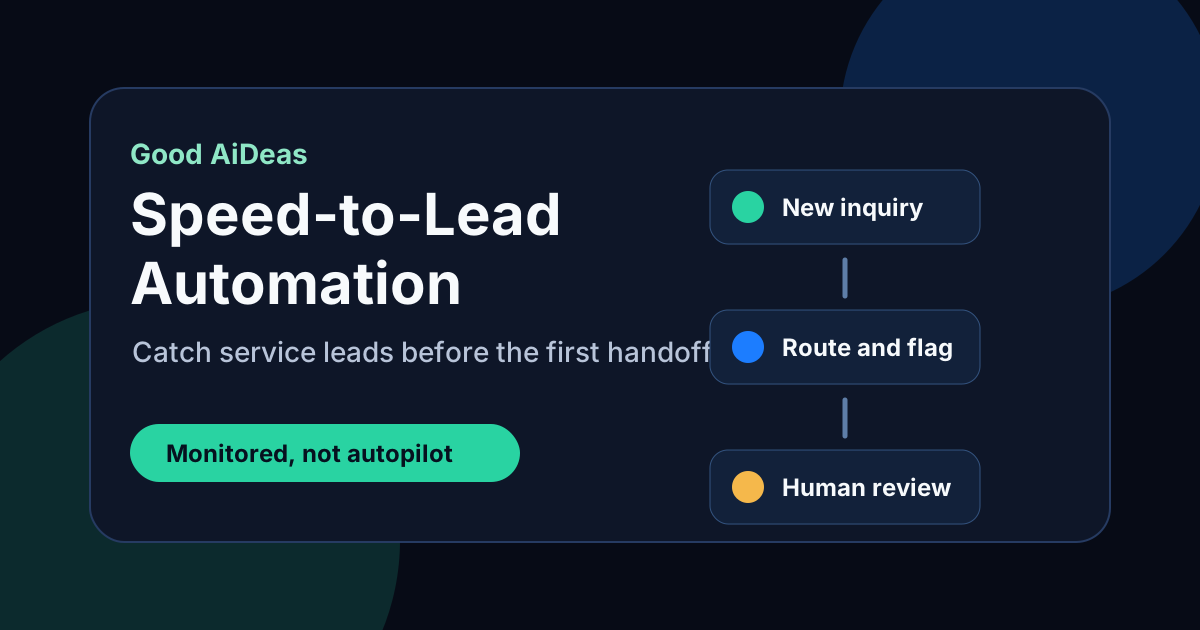
Speed-to-Lead Automation for Service Businesses
A practical speed-to-lead workflow for service businesses that need faster response without letting automation make promises customers should hear from a person.
A service lead usually does not wait politely.
The customer has a leak, no cooling, a locked door, a broken unit, a move-out deadline, or a manager asking for a quote. If your team misses the first touch, the customer can open another tab, call another contractor, or forget why they trusted you in the first place.
Speed-to-lead automation protects that first handoff. It should make the business faster, clearer, and easier to trust. It should not pretend to be a dispatcher, price a job, or commit the team to work a human has not reviewed.
The short answer
Speed-to-lead automation helps a service business respond to new calls, forms, texts, and after-hours inquiries quickly enough to keep the conversation alive. A safe workflow acknowledges the request, collects the minimum useful context, routes urgent items, creates a human follow-up task, and gives the owner visibility into stuck leads.
The best first version is narrow. Start with one intake source, one clear owner, one response rule, and one monitor. If the leak is real, connect the workflow to a broader Speed-To-Lead Engine or use the Ops Scorecard to choose the first dropped ball.
Where service leads slow down
Most owners already know response speed matters. The problem is not awareness. The problem is that the lead moves through several small gaps before anyone owns it.
| Lead source | Common delay | Safe first automation |
|---|---|---|
| Missed call | Voicemail waits until someone checks it | Send a short text, ask for service address and issue, create callback task |
| Website form | Email lands in a crowded inbox | Confirm receipt, route by service type, notify owner if no review happens |
| After-hours request | Nobody knows what came in until morning | Collect details, flag urgent words, build a morning review queue |
| Estimate request | Customer asks for pricing before scope is clear | Ask clarifying questions, route to estimator, avoid quoting automatically |
| Referral lead | Name and number arrive in a text thread | Capture contact, source, need, and next owner in one place |
Speed-to-lead is not just a faster text. It is a monitored handoff from interest to next human action.
What the first workflow should do
A useful first workflow has five parts.
1. Confirm the lead without overpromising
The first message should be fast and honest.
For example:
Thanks for reaching out. We saw your request. Please reply with the service address, what is happening, and whether this is urgent today. A person from our team will review it.
That message does three things. It tells the customer they were heard, asks for useful context, and keeps the promise inside a safe boundary.
Avoid messages like:
- "We can send someone today" unless dispatch confirms it.
- "Your quote is ready" unless a person prepared it.
- "You are booked" unless the appointment is real.
- "We guarantee" language unless the business already uses that promise.
2. Collect only what routes the work
The first workflow should not feel like a long intake form. Ask for the few details that help the team decide what happens next:
- name and best callback number
- service address or city
- service type
- short description of the issue
- urgency today, this week, or flexible
- photo or model number if useful
If the team needs more information later, a person can ask. The automation only needs enough detail to prevent a cold callback.
3. Flag urgency for human review
Service businesses need a practical urgency layer. A broken AC during a heat wave, a plumbing leak, a lockout, or a commercial issue should not sit in the same queue as a flexible estimate.
Flag replies that include urgent language such as:
- no heat or no cooling
- leak, flood, burst, or shutoff
- locked out
- smell, smoke, spark, or safety concern
- tenant, elderly resident, infant, medical equipment, or business closed
- today, emergency, asap, or cannot wait
A person still decides what to do. The workflow simply makes the right lead harder to miss.
4. Assign the next owner
A lead is not handled because a message was sent. It is handled when someone owns the next step.
For a small service business, the owner might be:
- office manager during business hours
- dispatcher for urgent operational requests
- estimator for quote requests
- owner for after-hours exceptions
- sales coordinator for commercial inquiries
The workflow should create or update a task, not just send a notification. If no one reviews it within the agreed window, the monitor should surface the gap.
5. Show what is still stuck
The owner needs a short view of unanswered leads, not another place to check all day.
A simple daily or live monitor can show:
- new leads that have not been reviewed
- urgent leads waiting on a person
- leads with customer replies but no staff reply
- web forms older than the response target
- estimates requested but not assigned
- after-hours leads that need morning triage
That is where speed-to-lead becomes operations automation. It turns response time into a visible workflow instead of a memory test.
A safe starter sequence
Here is a practical starter sequence for a contractor, HVAC company, plumber, locksmith, cleaner, landscaper, or other local service business.
| Timing | Workflow action | Human boundary |
|---|---|---|
| Immediately | Acknowledge the request and ask for service address, issue, and urgency | No booking, pricing, or dispatch promise |
| 1 to 3 minutes | Route by source, service type, and urgent words | A person reviews urgent or unclear items |
| 5 to 15 minutes | Alert the assigned owner if no review happened | Owner decides whether to call, text, schedule, or decline |
| Morning after-hours | Produce a queue of overnight leads with context | Office team prioritizes and responds |
| End of day | Summarize leads still waiting on staff action | Owner sees the dropped balls before they age |
This sequence is intentionally conservative. It protects response time without giving the automation authority it should not have.
What to measure first
Do not start with a giant dashboard. Start with a few leading indicators the owner can act on.
Track:
- New leads by source.
- Leads acknowledged automatically.
- Leads reviewed by a person.
- Customer replies waiting on staff.
- Urgent leads flagged.
- Leads older than the response target.
- Leads that became appointments, estimates, or closed loops when the team can track that cleanly.
The first goal is not a perfect attribution model. The first goal is to see whether the business is still dropping the first handoff.
Where this fits with other workflows
Speed-to-lead usually connects to several other Good AiDeas topics:
- If calls are the main leak, start with HVAC missed call automation or missed call text-back for contractors.
- If nights and weekends are the problem, use after-hours lead response for HVAC as the pattern.
- If quotes go quiet after the first response, add estimate follow-up automation.
- If the owner needs a wider operating view, start with field service automation for small business.
The right first build depends on the dropped ball you can prove today.
FAQ
What is speed-to-lead automation?
Speed-to-lead automation is a monitored workflow that responds to new inquiries quickly, collects basic context, routes the lead, and creates a human follow-up step. It is most useful for service businesses that get calls, forms, texts, referrals, or after-hours requests that can otherwise sit too long.
Should a service business automate booking or pricing?
Usually not in the first workflow. Booking, pricing, availability, and dispatch decisions should stay with a person unless the business already has clean rules and approved boundaries. A safer first workflow acknowledges the lead, gathers details, and alerts the right human.
What is the best first speed-to-lead workflow?
The best first workflow is usually missed-call response, website form routing, or after-hours triage. Choose the source where leads most often wait without a clear owner.
How fast should a service business respond to a new lead?
Respond as quickly as the team can do safely and consistently. The immediate automation can acknowledge the request within moments, but the human follow-up target should match the business model, staffing, urgency, and service area.
How do you keep speed-to-lead automation from annoying customers?
Keep the first message short, specific, and useful. Do not send repeated generic nudges. Ask for the details the team truly needs, make human review clear, and stop automated follow-up when the customer replies.
The first move
Pick one lead source and trace what happens after the customer reaches out. If the team cannot see who owns the next step, how long the lead waited, and which leads are still stuck, that is the first speed-to-lead workflow to fix.
Use the Ops Scorecard to find the highest-value dropped ball, or review the Speed-To-Lead Engine if the first handoff is already the clear priority.
Next step
Find the leak, then pick the monitored fix.
Not sure which workflow is leaking attention first? Start with the Scorecard, or continue into the offer most related to this field note.
For websites where unclear offers, forms, and routing make monitored automation harder to trust.